

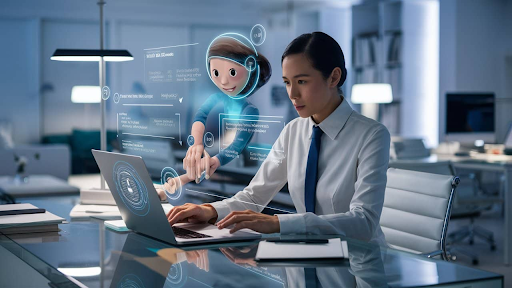
Technology now feels more human than ever. A recent Gartner global PC usage report shows that over 55 percent of new laptops sold in 2026 will include AI-based features designed to help users work faster and stay focused.
This change matters because people want help, not more complexity. An AI PC does not just run apps. It supports daily tasks in smart ways. It learns patterns. It saves time. It reduces stress. It feels like a quiet helper that works in the background.
This article explains how six AI PC features act like a personal tech assistant. Let us explore how these smart features work together and why they matter today.
1. Voice Commands That Actually Understand You
Typing takes time. Clicking takes focus. AI PCs now include advanced voice control that feels natural, and this feature uses speech recognition models trained on many voice patterns. The system understands simple commands and full sentences. You can say things, and the PC responds fast.
Helpful actions include:
- Open documents
- Set reminders
- Search files
- Control settings
Real Use Inside Daily Workflows
Voice control runs locally on many AI PCs. That means faster response and better privacy. The AI listens only after waking words. This keeps control in your hands.
This feature helps students and busy workers. It reduces screen time. It also helps users with limited mobility.
2. Smart Task Prediction That Knows What You Need
An AI PC watches how you work every day. It learns which apps you open first. It learns how long tasks take. Over time, it predicts what you need next.
This feature uses machine learning models that run on the NPU. The NPU stands for Neural Processing Unit. It handles small AI tasks without slowing the system. Because of this, the PC feels ready before you act.
Key ways this helps:
- Open apps you use every morning.
- Preloads files you worked on last time.
- Adjusts system power for the task ahead.
How the NPU Makes This Possible
The NPU processes behavioral data in real-time. It works alongside the CPU and GPU. This balance saves power while maintaining high speed. Since the NPU works locally, your data stays on your device. That adds trust and safety.
This smart prediction removes small delays. Those delays accumulate throughout the day. As a result, work feels smoother and less tiring.
3. Intelligent File Search That Thinks Like You
Finding files can waste time. AI PCs solve this with smart file search. Instead of exact names, the system understands meaning. You can type simple words and find results. This works through semantic search. The AI reads file content and context. It connects ideas, not just names.
Benefits you feel every day:
- Faster search results.
- Fewer folders to open.
- Less frustration
How AI Understands File Context
The AI builds a local index of your files. It tracks usage and content types. The NPU updates this index quietly. No internet is needed. This makes your PC feel organized. It feels like someone already knows where everything is.
4. Automatic Performance Tuning for Every Task
Not all tasks need full power. AI smart PCs adjust their performance automatically. When you browse or write, the system saves energy. When you edit video or design graphics, it boosts power. This feature uses real-time workload detection. Sensors track CPU, GPU, and memory use.
Key adjustments include:
- Power scaling
- Fan speed control
- Memory priority
This keeps the system cool and quiet. It also extends battery life.
Balance Between Speed and Battery
The AI chooses the best balance every second. It learns which apps need more power. It avoids waste. Because of this, the PC feels responsive without draining fast. Users do not need to change settings.
5. Smart Notifications That Respect Your Focus
Notifications can break focus. AI PCs manage them better. The system learns when you work deeply. It notices typing speed, app use and time patterns. During focus time, it reduces alerts.
Smart actions include:
- Grouping notifications
- Delaying non-urgent alerts.
- Allowing only priority apps.
This feature uses attention models. These models run on the NPU.
Focus Support in Real Time
The AI adjusts in real time. If you switch tasks, it adapts. If you stop working, it releases alerts. This makes work calmer. It supports deep focus. It feels like a respectful assistant.
6. Built-In Security That Watches Quietly
Security matters more than ever. AI PCs include smart protection that works all the time. The system watches for unusual behavior. It checks app file access and login patterns. This uses anomaly detection models.
Protective actions include:
- Blocking unknown access.
- Alerting to unusual logins.
- Isolating risky apps.
All of this runs locally. This keeps data safe without slowing work. The PC acts like a silent guard. It works without noise or pop-ups.
Conclusion
An AI PC changes how people feel about technology. These six features show how a computer can act like a personal tech assistant. It predicts tasks. It listens. It finds files. It tunes the performance. It protects focus. It guards security. Each feature uses real AI hardware like the NPU.
Each feature works quietly in the background. The result feels simple and human. Users spend less time managing systems and more time doing what matters. As smart PCs grow smarter, this support will feel even more natural. The best part stays clear. The technology adapts to you. You do not need to adapt to it.

